Plug in
Any Windows PC
Windows 10 or 11, USB-A or USB-C. Nothing installs, and nothing asks for an administrator password.
VELORA by KMATS
Not in a datacentre. Not behind a login. Velora carries the engine, the models and your files on 128 GB of brushed aluminium. Plug it in and it works with the Wi-Fi off.

One vision, three launch payloads
Core, Pro and Prime ship on a 128 GB brushed aluminium drive. What changes is how large the models are, and larger models need a bigger machine to run them. Choose by your hardware, not your budget.
50% deposit reserves your allocation. Dispatches by Diwali or as soon as 100 drives are reserved. Balance requested only before dispatch. 100% secure checkout via Razorpay.
Both connectors
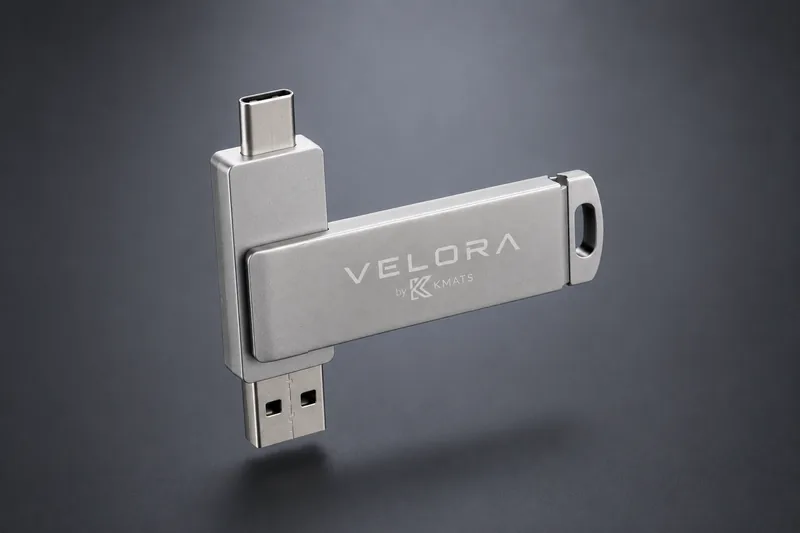
USB-A at one end, USB-C at the other, on the one drive. Old desktops and new thin laptops both take it, and you carry no adapter to make that true. Swivel it closed and the connector you are not using tucks back inside the body.
What it does well, what it does badly, and why most of the answer comes down to your own hardware.
Read it before you buy → Nerd modeThe whole method, published. Velora only saves you the configuration and the technical knowledge it takes.
Do it the hard way →What's on it
Rows dim when the edition you picked doesn't carry them. Showing Core.
Conversation
Ask anything, in your language. Bigger editions carry a bigger model, which is most of the quality difference.
Your documents
Drop in PDFs and notes, then ask about them. Velora cites which file it read.
Reads images
Show it a photo, a screenshot or a scanned page and ask what is in it. On Core this depends on the model shipped.
Speak and listen
Dictate instead of typing, and have answers read back. Both run on the drive.
Does the work
Writes, edits and organises real files in a folder you grant it, and asks before each change.
Makes images
Generates pictures on your own graphics card. Nothing is sent anywhere. Quality scales with the edition.
You are never locked in. While every Velora drive ships pre-loaded and calibrated with golden open-weights, you can freely download any .gguf model weights from Hugging Face and drag them straight into the /models/ folder on the drive. Velora’s engine detects and indexes them automatically.
Hardware Limit Warning: Sideloading models that exceed your PC’s physical RAM or dedicated GPU VRAM ceiling (e.g. attempting to run a 32B model on an 8 GB laptop) will cause severe memory paging, drop token speeds below 1 tok/sec, or crash the runtime with Out-Of-Memory errors.
The maths
A cloud AI subscription runs about ₹1,650 a month in India. Velora Core is a single payment.
₹19,800
Per year, every year, for as long as you keep using it.
₹2,999
Once. The drive is yours, and so are the models on it.
55 days
After that it costs nothing to keep, forever.
Worth saying plainly: a subscription buys a far more capable model. You are trading raw capability for privacy, portability and never paying again. The hard truth page spells out exactly what that trade costs you.
Getting started
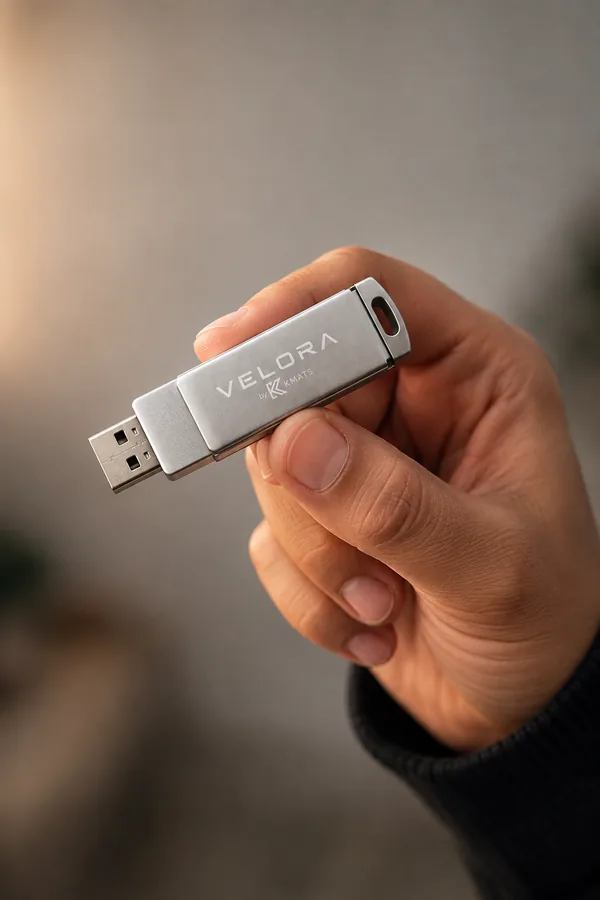
Seventy millimetres of aluminium. It lives on a keyring, and the assistant lives on it.
Plug in
Windows 10 or 11, USB-A or USB-C. Nothing installs, and nothing asks for an administrator password.
Then
One file on the drive. The first answer takes a moment while the model loads.
Then leave
Chats, files and settings stay on the drive. The PC you borrowed keeps nothing.
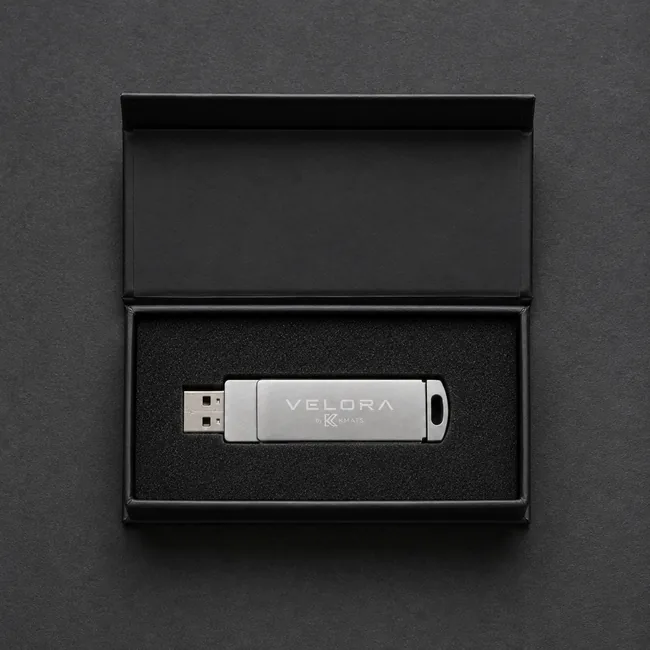
In the box
The promise
Most "private" AI means a company promising not to look. Velora doesn't need the promise. It has no account, no sync and no server to call.
Technical Specifications
Everything on the drive, compared feature for feature. Sized for your hardware, not your budget.
| Hardware Editions Four payloads calibrated for different machines. | ||||
|---|---|---|---|---|
| 1. Hardware Requirements & Memory | ||||
| Minimum RAMTarget system memory | 8 GB RAM Basic office laptops | 16 GB RAM Modern creator laptops | 32+ GB RAM High-end workstation | |
| Dedicated VRAMGraphics memory needed | Up to 4 GB (or Integrated) Intel Iris / AMD 680M | 6 to 8 GB dedicated RTX 3060/4060 class | 12 GB+ dedicated RTX 3080/4080/4090 class | |
| Physical HardwareBrushed aluminium casing | 128 GB Metal Drive 117 GB usable storage | 128 GB Metal Drive 117 GB usable storage | 128 GB Metal Drive 117 GB usable storage | |
| 2. Pre-Loaded Models & Storage | ||||
| Model PayloadPre-configured weights | 12 GB Models Qwen 3.5 4B + Qwen 2.5 Coder 7B | 26.3 GB Models Qwen 3.5 9B + Qwen 2.5 Coder 14B | 67.8 GB Models Qwen 3.6 35B MoE + Qwen 3 Coder 30B MoE | |
| Vision CapabilityMultimodal OCR & images | Included (Native F16 Projector) Lightweight CLIP | Included (Native F16 Projector) 11B Llama Vision | Included (High Precision) 34B LLaVA-NeXT | |
| Local Image GenerationText-to-image synthesis | Not supported on 8GB base SD1.5 (with GPU) | FLUX.1 Schnell 4-step (1024px) SDXL Turbo (1024px) | Advanced (Flux.1 / SDXL Studio) Flux.1 Dev Studio | |
| Autonomous AgentsFile and tool sandbox | Basic File & Code Automation Runs strictly within designated folders | Advanced Tool & Script Execution Runs strictly within designated folders | Full Autonomous Agent Workflows Runs strictly within designated folders | |
*Note: Ultra payload is estimated (~200 GB) for the frontier 70B+ model suite; actual shipped payload allocation may vary upon final calibration.
Questions
Check your PC's memory first. Under 16 GB, get Core. It is built to run without much graphics memory and will feel fine. At 16 GB with 6 to 8 GB of graphics memory, Pro roughly triples the model size and sharpens image generation. Prime is for 32 GB workstations with 12 GB+ graphics memory.
No, and we say so in detail on the hard truth page. It is a compact offline model running on your computer rather than a hundred-billion-parameter cluster running in a cloud datacentre. It handles everyday work well and heavy reasoning poorly. Buy it for absolute privacy, portability and the one-time price, not for raw datacenter computing power.
Yes, and we have published exactly how. The software is open source and the models are free to download. What you pay for is the configuration, the model selection, the packaging, and not having to learn any of it. If you enjoy that kind of work, do it yourself with our blessing.
Yes. Turn the Wi-Fi off and it behaves identically, because it never used the network to begin with. The only time you would go online is to download an update file yourself.
Yes. You can download any .gguf model format from Hugging Face and drag-and-drop it into the /models/ directory on your drive. Velora discovers and loads it automatically. However, sideloading is at your own risk: dropping models too heavy for your PC's hardware will cause memory thrashing and crashes.
No. The models are locked to the drive they shipped on, so a copied folder will not open elsewhere. For the same reason, do not reformat the drive. That erases the key along with everything else, and the models cannot be recovered.
Not yet. Initial pre-orders support Windows 10 and 11 only (64-bit). Mac support is being built, but nothing has shipped, and we would rather say that than sell you a drive that will not open.
It is a name. Ask Velora directly and it might tell you.
